


Table of Contents
WordPress AI Plugin Development in 2026: Build Smarter Plugins with the New AI Framework
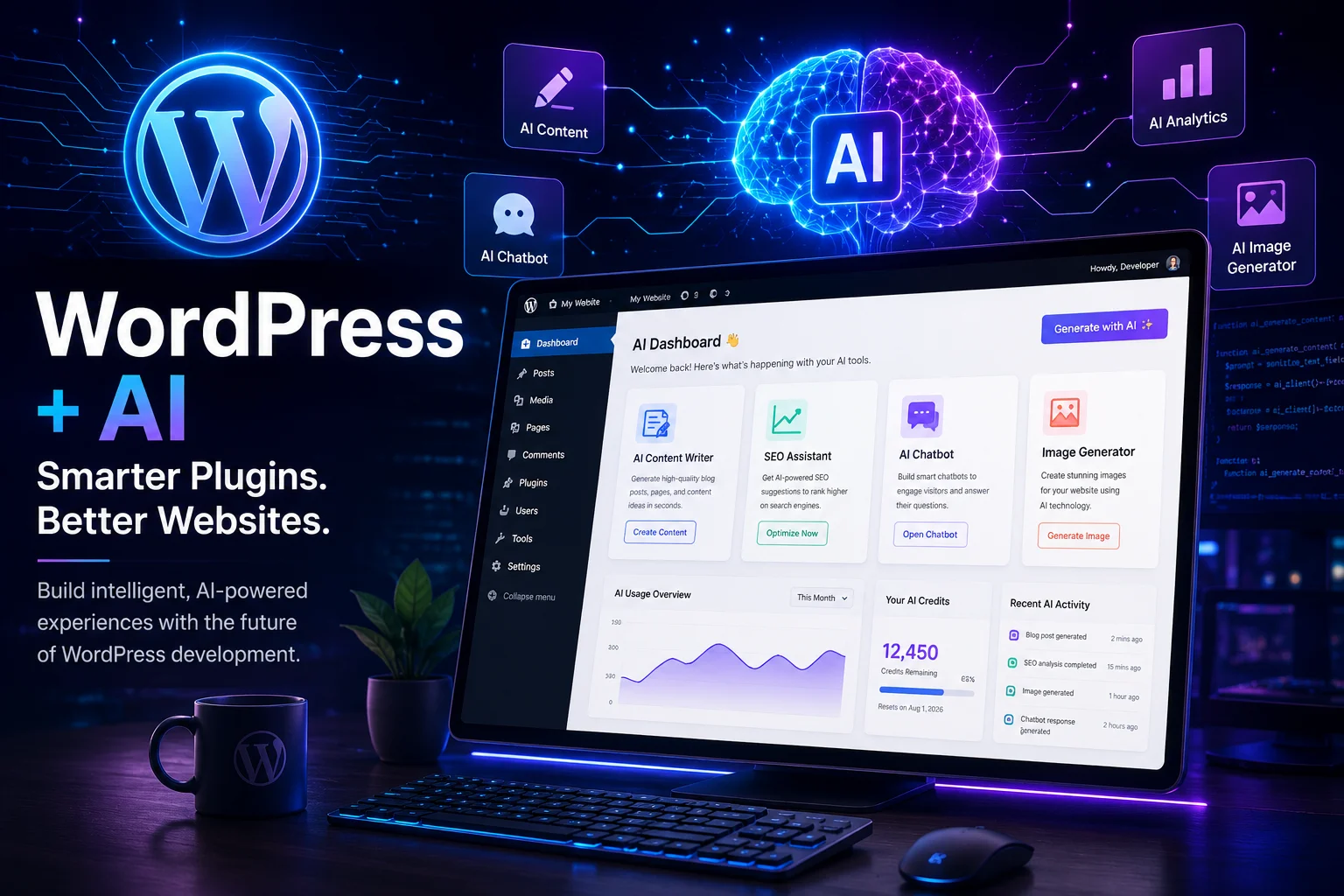
Artificial Intelligence is rapidly becoming a core part of modern web development. From intelligent content creation to automated customer support, AI-powered experiences are changing how websites are built and managed.
WordPress, the world’s most popular content management system, is now moving toward a more standardized way for developers to integrate AI into plugins. Instead of every plugin author building custom integrations for different AI services, the emerging WordPress AI framework aims to provide a common approach that simplifies development while supporting flexibility for the future.
This is an important step because it allows developers to spend less time writing repetitive integration code and more time building features that solve real user problems.
In this guide, you’ll learn what this shift means, why it matters, how the new architecture works at a high level, and how you can start thinking about your own AI-powered WordPress projects.
WordPress Is Entering the AI Era
Artificial intelligence is no longer limited to standalone applications or external services. Businesses increasingly expect AI features to be available directly within the tools they already use every day.
For WordPress developers, this means opportunities such as:
- AI content assistants
- Intelligent SEO recommendations
- Automatic product descriptions
- AI-powered customer support
- Code generation
- Accessibility improvements
- Translation tools
- Workflow automation
Rather than treating AI as an optional add-on, the WordPress ecosystem is beginning to establish shared patterns that make AI capabilities easier to integrate into plugins.
For developers, this represents more than just another API. It signals a shift toward a more consistent foundation for building AI-enabled experiences.
Why This Matters for Developers
Traditional AI integration often required developers to:
- Research multiple AI providers
- Build custom API connections
- Handle authentication separately
- Manage changing APIs
- Rewrite code to support new providers
- Maintain provider-specific implementations
This approach increased development time and made long-term maintenance more challenging.
A standardized framework can reduce this complexity by encouraging reusable patterns and making it easier to adapt as AI technology evolves.
Traditional Approach vs. Standardized AI Framework
| Traditional Development | Standardized AI Framework |
|---|---|
| Separate integration for each provider | Consistent development patterns |
| More repetitive code | More reusable code |
| Higher maintenance | Easier maintenance |
| Provider-specific logic | Greater flexibility |
| Slower feature delivery | Faster development |
Understanding the New AI Framework
Think of the new AI architecture as a bridge between your plugin and AI services.
Instead of communicating directly with every individual provider in a completely different way, your plugin interacts through a common layer. This makes it easier to design features that can evolve as new AI providers and capabilities emerge.
At a high level, the architecture includes:
- Your WordPress plugin
- A standardized AI interaction layer
- AI providers
- Large language models or other AI systems
This separation helps developers focus on building user-facing functionality instead of repeatedly solving the same integration challenges.
Core Building Blocks
Although implementations will continue to evolve, several concepts are central to AI-powered WordPress development:
AI Providers
These represent the services that supply AI capabilities. Different providers may specialize in text generation, image generation, code assistance, or other tasks.
AI Capabilities
Instead of thinking only in terms of prompts, it’s useful to think about capabilities your plugin provides to users, such as:
- Writing blog drafts
- Summarizing articles
- Generating FAQs
- Translating content
- Improving grammar
- Creating product descriptions
- Suggesting SEO improvements
Plugin Logic
Your plugin defines when AI should be used, what information should be sent, and how responses should be presented to users in a helpful and secure way.
Why Businesses Should Care
The impact extends beyond developers.
Businesses can use AI-powered plugins to:
- Publish content more efficiently
- Improve customer support
- Enhance SEO workflows
- Streamline WooCommerce product management
- Generate marketing copy
- Automate repetitive editorial tasks
As AI becomes more deeply integrated into WordPress, website owners will increasingly expect these capabilities as standard features rather than premium extras.
How AI-Powered Plugins Can Transform WordPress
Artificial Intelligence is no longer just about generating text. Modern AI models can understand context, analyze data, recognize patterns, summarize information, translate content, and even assist developers with writing code.
For WordPress developers, this means plugins can become intelligent assistants instead of simple automation tools.
Imagine a plugin that doesn’t just generate blog content—it understands your website, suggests improvements, optimizes SEO, and helps visitors find answers instantly.
That’s the direction WordPress development is moving toward.
Real-World AI Plugin Use Cases
Here are some practical applications where AI can deliver real value.
1. AI Content Writer
Creating high-quality content takes time. An AI-powered plugin can help users:
- Generate blog outlines
- Expand short paragraphs
- Rewrite content for better readability
- Create introductions and conclusions
- Suggest headlines
- Generate FAQs
Instead of replacing writers, AI becomes a productivity tool that speeds up the writing process while leaving the final editing to humans.
2. WooCommerce Product Assistant
Managing hundreds of products manually is exhausting.
An AI assistant could automatically:
- Write product descriptions
- Create short descriptions
- Generate SEO titles
- Produce meta descriptions
- Suggest keywords
- Highlight product benefits
- Improve readability
For online stores, this could save dozens of hours every month.
3. SEO Optimization
Search engine optimization involves many repetitive tasks.
AI can help by:
- Suggesting keywords
- Improving title tags
- Creating meta descriptions
- Generating schema ideas
- Detecting duplicate content
- Improving readability
- Suggesting internal links
This makes SEO more accessible for beginners while helping experienced marketers work faster.
4. AI Customer Support
Many websites receive the same questions repeatedly.
An AI-powered support assistant can:
- Answer FAQs
- Summarize support tickets
- Draft email replies
- Suggest solutions
- Reduce response times
This improves customer satisfaction while saving businesses valuable time.
5. AI Translation Assistant
Global businesses often need multilingual websites.
AI can assist with:
- Translating blog posts
- Localizing product pages
- Translating menus
- Creating multilingual FAQs
- Maintaining consistent tone
6. Accessibility Improvements
Accessibility is becoming increasingly important.
AI can help identify:
- Missing image alt text
- Poor heading structure
- Color contrast issues
- Readability problems
- Accessibility recommendations
AI Plugin Ideas You Can Build
If you’re looking for your next WordPress project, here are some ideas with real business potential.
| Plugin Idea | Target Audience |
|---|---|
| AI Blog Writer | Bloggers |
| AI SEO Assistant | SEO Agencies |
| AI WooCommerce Manager | Store Owners |
| AI Email Generator | Marketing Teams |
| AI FAQ Builder | Businesses |
| AI Chat Assistant | Customer Support |
| AI Grammar Checker | Content Writers |
| AI Landing Page Builder | Digital Agencies |
| AI Code Assistant | Developers |
| AI Form Generator | Freelancers |
| AI Documentation Generator | SaaS Companies |
| AI Accessibility Checker | Government & Education |
| AI Review Summarizer | E-commerce Stores |
| AI Course Creator | Online Educators |
| AI Social Media Generator | Content Creators |
Benefits for Developers
Developers adopting AI thoughtfully can gain several advantages:
Faster Development
Reusable patterns and AI-assisted workflows can reduce repetitive coding and speed up feature delivery.
Better User Experience
AI can make plugins more interactive by offering personalized suggestions, smarter automation, and contextual assistance.
Easier Maintenance
Well-structured AI integrations are generally easier to update than multiple custom implementations.
Future Readiness
Building with flexible architectures today makes it easier to adapt as AI capabilities evolve.
Best Practices for AI Plugin Development
Whether you’re creating a small utility or a commercial plugin, keep these principles in mind.
Prioritize User Control
Let users decide when AI is used and what data is shared.
Protect Sensitive Data
Never send passwords, payment details, or personal information to AI services without clear user consent and appropriate safeguards.
Review AI Output
AI can make mistakes. Encourage users to review generated content before publishing.
Design for Flexibility
Avoid locking your plugin into a single provider if your architecture can reasonably support multiple options.
Optimize Costs
AI requests may incur usage fees. Cache results where appropriate and avoid unnecessary repeated calls.
Challenges to Consider
AI is powerful, but it isn’t perfect.
Common challenges include:
- Inaccurate or fabricated responses
- API costs
- Latency
- Privacy concerns
- Model updates
- Provider-specific limitations
Building safeguards into your plugin helps create a more reliable user experience.
The Future of AI in WordPress
AI is likely to become a standard part of many WordPress workflows over the coming years.
Potential future developments include:
- Smarter content editing
- AI-powered website audits
- Automatic performance recommendations
- Improved accessibility tools
- Personalized visitor experiences
- Intelligent media management
- Enhanced developer tooling
- AI-assisted plugin configuration
Developers who begin experimenting now will be better positioned as the ecosystem continues to evolve.
Key Takeaways
- AI is becoming an important part of modern WordPress development.
- Standardized approaches can reduce repetitive integration work.
- AI can enhance productivity for developers, businesses, and content creators.
- Thoughtful implementation, user control, and privacy should remain priorities.
- Now is a great time to start exploring practical AI-powered WordPress ideas.
Frequently Asked Questions (FAQ)
1. What is AI-powered WordPress plugin development?
AI-powered WordPress plugin development involves building plugins that use artificial intelligence to assist with tasks such as content generation, SEO recommendations, automation, translations, customer support, and more.
2. Why is AI becoming important for WordPress?
AI helps website owners save time, improve productivity, automate repetitive work, and enhance user experiences. As AI tools mature, they’re becoming a natural addition to modern WordPress workflows.
3. Can beginners build AI-powered plugins?
Yes. If you already understand basic WordPress plugin development, you can begin experimenting with AI integrations by starting with small, focused features and gradually expanding them.
4. What are some practical uses of AI in WordPress?
Common use cases include:
- Blog writing assistance
- Product description generation
- SEO suggestions
- Customer support
- Content translation
- Accessibility improvements
- Workflow automation
5. Will AI replace WordPress developers?
No. AI is best viewed as a productivity tool. Developers are still needed to design features, ensure security, maintain code quality, and build solutions tailored to users’ needs.
6. What should developers consider before adding AI?
Developers should think about user privacy, data security, cost, accuracy of AI responses, and giving users clear control over AI-powered features.
What Will You Build with AI?
AI is opening up exciting new possibilities for WordPress developers. Whether you’re creating tools for bloggers, e-commerce stores, or businesses, now is a great time to explore how AI can enhance your plugins.
Have an idea for an AI-powered WordPress plugin? Share it in the comments – I’d love to hear what you’re planning to build.

Leave a Reply