

You’ve just launched your website. It looks great, the content is ready, and you’re excited to start getting visitors. There’s just one problem: nobody can find you on Google.
This is the reality for most new websites. Building a site is the easy part—getting it discovered by search engines and ranking for valuable keywords requires deliberate optimization.
I’ve launched over 40 websites in the last 5 years, and I’ve learned (often the hard way) that SEO isn’t something you “add later.” The decisions you make in your first 30 days determine whether you’ll rank in 3 months or still be invisible after a year.
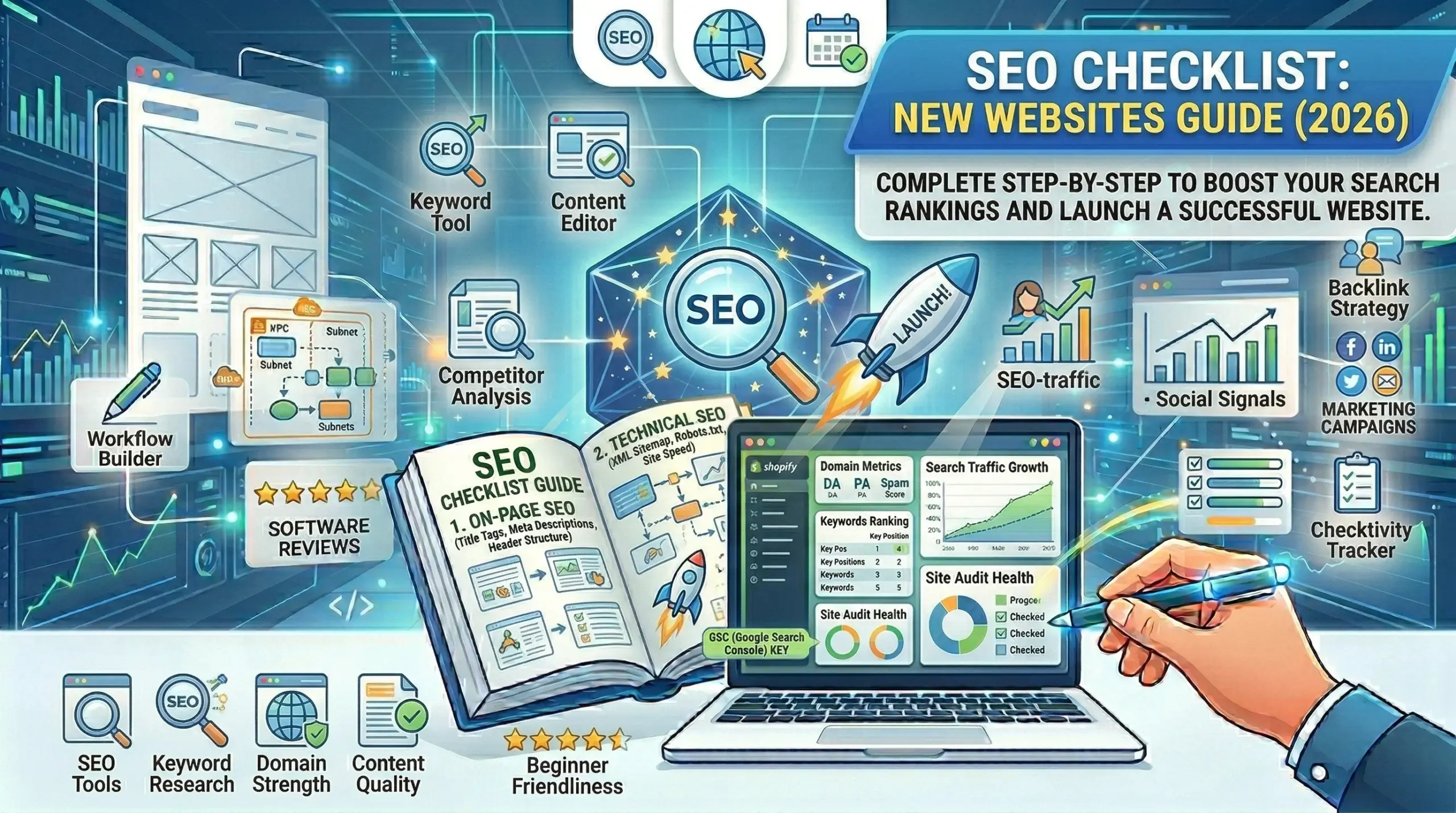
This comprehensive checklist walks you through every critical SEO task for a new website, organized by priority and difficulty. I’ve tested these strategies across blogs, e-commerce stores, SaaS sites, and local businesses—they work regardless of your industry.
What you’ll learn:
- Technical SEO fundamentals that search engines require
- On-page optimization for every page on your site
- Content strategy that attracts organic traffic
- Off-page SEO to build authority
- Local SEO (if applicable)
- Tools to monitor and measure success
- Common mistakes that kill new site rankings
Time investment: Budget 8-12 hours to complete this checklist properly. The return on investment is exponential.
Part 1: Technical SEO Foundation (Week 1)
Technical SEO ensures search engines can access, crawl, and index your site properly. Get this wrong, and even great content won’t rank.
1. Install SSL Certificate (HTTPS)
Why it matters:
- Google confirmed HTTPS is a ranking signal
- Chrome shows “Not Secure” warning on HTTP sites
- Users trust HTTPS sites more
- Required for many features (PWAs, geolocation, etc.)
How to do it:
If using shared hosting (Bluehost, SiteGround, etc.):
- Log into cPanel or hosting dashboard
- Find “SSL/TLS” or “Let’s Encrypt”
- Click “Install” or “Enable” (usually free)
- Wait 5-15 minutes for activation
If using Cloudflare (recommended):
- Sign up at cloudflare.com (free plan works)
- Add your domain
- Change nameservers at your domain registrar
- Enable “Always Use HTTPS” in SSL/TLS settings
- Set SSL mode to “Full” or “Full (Strict)”
Force HTTPS redirect:
Add to .htaccess (WordPress/Apache):
apache
RewriteEngine On
RewriteCond %{HTTPS} off
RewriteRule ^(.*)$ https://%{HTTP_HOST}%{REQUEST_URI} [L,R=301]
Test: Visit http://yoursite.com – should redirect to https://yoursite.com
Common mistake: Mixed content warnings after SSL installation. Use plugin “Really Simple SSL” (WordPress) or search/replace HTTP URLs in database.
2. Verify Site Ownership in Google Search Console
Why it matters:
- See how Google sees your site
- Submit sitemap for faster indexing
- Monitor search performance
- Get alerts about critical issues
- Track backlinks
Setup steps:
- Go to: https://search.google.com/search-console
- Add property:
- Choose “URL prefix” (not domain property for beginners)
- Enter:
https://yoursite.com - Click Continue
- Verify ownership:Method 1: HTML file upload (easiest)
- Download verification file
- Upload to your site’s root directory via FTP
- Click Verify
- Copy meta tag
- Paste in SEO plugin’s verification field
- Click Verify
- Use same Google account
- Automatic verification
- Add both WWW and non-WWW versions:
- Add
https://yoursite.com - Add
https://www.yoursite.com - Set preferred version in Settings
- Add
Important: Verification can take a few hours to show data. Be patient.
3. Submit XML Sitemap
Why it matters:
- Tells Google all pages on your site
- Helps search engines discover new content faster
- Prioritizes important pages
- Monitors indexing status
Create sitemap:
WordPress with Rank Math or Yoast:
- Sitemap auto-generated at:
yoursite.com/sitemap_index.xml - No action needed—already created
Other platforms:
- Shopify: Auto-generated at
yoursite.com/sitemap.xml - Squarespace: Auto-generated at
yoursite.com/sitemap.xml - Wix: Auto-generated at
yoursite.com/sitemap.xml - Custom/HTML site: Use XML-sitemaps.com to generate
Submit to Google:
- Google Search Console → Sitemaps
- Enter sitemap URL:
sitemap_index.xmlorsitemap.xml - Click Submit
- Status should show “Success” (may take hours/days)
Submit to Bing:
- Bing Webmaster Tools (webmaster.bing.com)
- Add site and verify
- Submit same sitemap
Check sitemap validity:
- Visit your sitemap URL directly in browser
- Should show XML structure with all pages
- No errors or broken links
4. Create and Optimize robots.txt
Why it matters:
- Controls which pages search engines can crawl
- Prevents indexing of admin/duplicate pages
- Saves crawl budget on large sites
Access/create robots.txt:
- Go to:
yoursite.com/robots.txt - If doesn’t exist, create it in root directory
Recommended robots.txt for most sites:
User-agent: *
Disallow: /wp-admin/
Disallow: /wp-includes/
Disallow: /wp-content/plugins/
Disallow: /wp-content/cache/
Disallow: /cart/
Disallow: /checkout/
Disallow: /my-account/
Disallow: *?add-to-cart=*
Disallow: /search/
Disallow: /*?s=
Disallow: /*?
Allow: /wp-content/uploads/

Sitemap: https://yoursite.com/sitemap_index.xml
Customize for your site:
- WordPress: Include lines above
- E-commerce: Add
/checkout/,/cart/,/my-account/ - Don’t disallow entire site unless intentional
Test: Google Search Console → Settings → robots.txt Tester
Critical mistake to avoid: Never put Disallow: / which blocks entire site. This happens more often than you’d think.
5. Set Up Google Analytics 4
Why it matters:
- Track organic traffic
- See which pages perform best
- Understand user behavior
- Measure SEO success
Setup:
- Create account: analytics.google.com
- Create property:
- Property name: Your Site Name
- Timezone: Your location
- Currency: Your currency
- Create data stream:
- Platform: Web
- Website URL: https://yoursite.com
- Stream name: Web
- Copy Measurement ID (G-XXXXXXXXXX)
- Install tracking code:WordPress with MonsterInsights/GA plugin:
- Install plugin
- Connect Google account
- Auto-setup
- Rank Math → General Settings → Analytics
- Paste Measurement ID
- Copy Global Site Tag code
- Add to
<head>section of all pages - Or use “Insert Headers and Footers” plugin
- Verify installation:
- Visit your site
- Check GA4 → Reports → Realtime
- Should see your visit
Connect to Search Console:
- GA4 → Admin → Product Links → Search Console Links
- Link accounts for combined data
6. Optimize Site Speed
Why it matters:
- Google confirmed Core Web Vitals as ranking factors
- Slow sites have higher bounce rates
- Mobile users especially sensitive to speed
- Affects conversions directly
Measure current speed:
Test your site at:
- PageSpeed Insights: pagespeed.web.dev
- GTmetrix: gtmetrix.com
- WebPageTest: webpagetest.org
Target scores:
- Mobile: 80+ (PageSpeed Insights)
- Desktop: 90+
- Load time: Under 3 seconds
Quick wins:
1. Enable caching
- WordPress: Install WP Rocket ($59) or W3 Total Cache (free)
- Set cache expiration: 1 year for static assets
2. Optimize images
- Install ShortPixel, Imagify, or Smush
- Convert to WebP format
- Compress before uploading
- Lazy load images
3. Minify CSS/JavaScript
- WP Rocket: Enable minification
- Or use Autoptimize plugin (free)
4. Use a CDN
- Cloudflare (free)
- BunnyCDN ($1/month)
- StackPath
5. Enable Gzip compression
Add to .htaccess:
apache
<IfModule mod_deflate.c>
  AddOutputFilterByType DEFLATE text/html text/plain text/xml text/css text/javascript application/javascript
</IfModule>
6. Reduce HTTP requests
- Combine CSS/JS files
- Use CSS sprites
- Remove unused plugins
- Minimize external scripts
7. Optimize database (WordPress)
- Install WP-Optimize
- Clean post revisions
- Remove spam comments
- Optimize database tables
Advanced (if needed):
- Implement HTTP/2
- Enable Brotli compression
- Defer JavaScript loading
- Critical CSS inlining
Re-test after optimization: Aim for at least 20-point improvement.
7. Ensure Mobile Responsiveness
Why it matters:
- Google uses mobile-first indexing
- 70%+ of searches are mobile
- Mobile ranking factor since 2015
- Poor mobile UX = lost traffic
Test mobile-friendliness:
- Google Mobile-Friendly Test:
- search.google.com/test/mobile-friendly
- Enter your URL
- Check for errors
- Manual testing:
- Open site on actual phone/tablet
- Test navigation
- Check text readability (no zoom needed)
- Verify buttons are tappable
- Test forms
Common mobile issues:
❌ Text too small – Use minimum 16px font size ❌ Buttons too close – 44×44px minimum tap targets ❌ Horizontal scrolling – Content should fit viewport ❌ Interstitials – Avoid intrusive popups ❌ Flash content – Use HTML5 instead
Fix with:
- Responsive theme (most modern themes are responsive)
- Test on Chrome DevTools (F12 → Toggle device toolbar)
- Use CSS media queries for custom adjustments
8. Fix Crawl Errors
Why it matters:
- Broken pages waste crawl budget
- 404 errors frustrate users
- Lost link equity from broken internal links
Find errors:
- Google Search Console → Coverage report
- Look for:
- 404 Not Found
- 500 Server Error
- Redirect chains
- Soft 404s
Fix 404 errors:
Legitimate 404s (page should be gone):
- Ensure proper 404 status code
- Create helpful 404 page with:
- Clear message
- Search box
- Popular pages links
- Homepage link
Incorrect 404s (page should exist):
- Restore missing pages
- Or 301 redirect to relevant page
Find internal broken links:
- Plugin: Broken Link Checker (WordPress)
- Or: Screaming Frog SEO Spider (desktop app)
Fix redirect chains:
Bad: pageA → pageB → pageC Good: pageA → pageC (direct)
Update old redirects to point to final destination.
9. Set Preferred Domain (WWW vs non-WWW)
Why it matters:
- Prevents duplicate content issues
- Consolidates link equity
- Clearer analytics data
Choose one:
https://yoursite.com(non-WWW) – Modern, cleanerhttps://www.yoursite.com(WWW) – Traditional
Implement redirect:
Add to .htaccess (for non-WWW):
apache
RewriteEngine On
RewriteCond %{HTTP_HOST} ^www\.yoursite\.com [NC]
RewriteRule ^(.*)$ https://yoursite.com/$1 [L,R=301]
For WWW version:
apache
RewriteEngine On
RewriteCond %{HTTP_HOST} ^yoursite\.com [NC]
RewriteRule ^(.*)$ https://www.yoursite.com/$1 [L,R=301]
Test: Visit both versions—should redirect to preferred version.
Update in Search Console: Settings → Preferred domain
10. Implement Structured Data (Schema Markup)
Why it matters:
- Enhanced search results (rich snippets)
- Higher click-through rates
- Better understanding by search engines
- Voice search optimization
Essential schema types:
For all sites:
- Organization schema (logo, social profiles, contact)
- Website schema (search box in results)
For blogs:
- Article schema (publish date, author, image)
- BreadcrumbList schema (navigation path)
For local business:
- LocalBusiness schema (address, hours, reviews)
For products (e-commerce):
- Product schema (price, availability, reviews)
For recipes:
- Recipe schema (ingredients, cook time, nutrition)
For events:
- Event schema (date, location, price)
Implementation:
WordPress with Rank Math:
- Auto-generates most schema
- Configure: Rank Math → Schema → Global
- Set Organization/Person info
WordPress with Yoast:
- Yoast SEO → Search Appearance → Schema
- Configure organization details
Manual implementation:
- Use Google’s Structured Data Markup Helper
- Add JSON-LD code to
<head>section
Test schema:
- Google Rich Results Test: search.google.com/test/rich-results
- Enter URL or code
- Verify no errors
Common schema mistakes:
- Missing required fields
- Incorrect date formats
- Mismatched information (price different than displayed)
Part 2: On-Page SEO Optimization (Week 2)
On-page SEO optimizes individual pages to rank higher and earn relevant traffic.
11. Keyword Research for Every Page
Why it matters:
- Targeting wrong keywords = no traffic
- Understanding search intent = higher rankings
- Finding low-competition keywords = faster results
Process:
Step 1: Brainstorm seed keywords
- What do you offer?
- What problems do you solve?
- What would you search for?
Example (coffee shop):
- “coffee shop [city]”
- “best latte [city]”
- “pour over coffee near me”
Step 2: Expand with tools
Free tools:
- Google Keyword Planner
- Google Search suggestions (autocomplete)
- “People also ask” boxes
- Related searches at bottom of Google
- AnswerThePublic.com
- Google Trends
Paid tools (more data):
- Ahrefs ($99/month)
- SEMrush ($119/month)
- Moz ($99/month)
- Ubersuggest ($12/month – cheapest)
Step 3: Analyze keywords
For each keyword, note:
- Search volume: Monthly searches
- Keyword difficulty: How hard to rank (0-100)
- Search intent: What does searcher want?
- Current rankings: What’s ranking now?
Step 4: Choose target keywords
Good beginner keywords:
- Low competition (difficulty <30)
- Decent volume (100+ monthly searches)
- Clear commercial or informational intent
- You can create better content than current ranking pages
Avoid:
- Super competitive (difficulty >60)
- No search volume (<10 monthly)
- Vague intent (unclear what searcher wants)
Step 5: Map keywords to pages
- 1 primary keyword per page
- 3-5 secondary keywords per page
- Different pages target different keywords (no cannibalization)
Keyword mapping example:
| Page | Primary Keyword | Secondary Keywords |
|---|---|---|
| Homepage | coffee shop chicago | best coffee chicago, chicago cafe, specialty coffee |
| Menu | coffee shop menu | latte menu, espresso drinks, coffee prices |
| About | about [business name] | coffee roaster, local coffee, sustainable coffee |
12. Optimize Title Tags
Why it matters:
- Most important on-page SEO factor
- First thing users see in search results
- Directly affects click-through rate
Best practices:
Format:
Primary Keyword - Secondary Keyword | Brand NameExamples:
- ✅ “Organic Coffee Beans – Freshly Roasted | Northern Lights Coffee”
- ✅ “WordPress Speed Optimization: 10 Proven Methods | Ranjit Gohite”
- ❌ “Welcome to Our Amazing Website!”
- ❌ “Home | Company Name”
Rules:
- Include primary keyword near the beginning
- Keep under 60 characters (or ~600 pixels)
- Make it compelling to earn clicks
- Unique for every page (no duplicates)
- Match search intent (what searcher expects)
- Include modifiers when natural: “best”, “guide”, “2026”, “review”
Character count examples:
- 50 chars: Great for mobile
- 60 chars: Ideal maximum
- 70+ chars: Gets truncated in results
WordPress optimization:
- Rank Math: Edit in post editor
- Yoast: Edit in SEO section below editor
- Manually: Edit in HTML
<title>tag
Test visibility:
- SERP Preview tools (in Rank Math/Yoast)
- Or Google “site:yoursite.com” and check results
13. Write Compelling Meta Descriptions
Why it matters:
- Not a direct ranking factor BUT
- Affects click-through rate
- Higher CTR = more traffic = indirect ranking boost
- Opportunity to convince searchers to click
Best practices:
Length: 150-160 characters (mobile truncates ~120)
Include:
- Primary keyword (Google bolds it)
- Clear value proposition
- Call to action
- Unique selling point
Format:
[What you offer]. [Key benefit]. [Call to action]Examples:
❌ Bad: “This is the homepage of our website. We offer many products and services. Check it out.”
✅ Good: “Get WordPress speed optimization services that improve load time by 50%+. Free audit included. Start your site’s transformation today.”
❌ Bad: “Read this blog post about SEO tips for beginners. Learn about SEO.”
✅ Good: “Master SEO with this beginner’s checklist. 50+ actionable tips to rank higher in Google. Free PDF download included.”
WordPress setup:
- Same as title tags (Rank Math/Yoast meta description field)
Important notes:
- Google may rewrite your meta description
- That’s okay—they show most relevant text for search query
- Still write good ones—used ~50% of the time
14. Use Header Tags (H1, H2, H3) Properly
Why it matters:
- Helps search engines understand content structure
- Improves readability
- Scannable content = better user experience
- Keywords in headers = relevance signal
Hierarchy:
H1 - Page Title (Only ONE per page)
  H2 - Main Section
    H3 - Subsection
      H4 - Minor point
  H2 - Main Section
    H3 - Subsection
Rules:
- One H1 per page (your title)
- H1 should include primary keyword
- H2s for major sections (include secondary keywords naturally)
- H3s for subsections under H2s
- Logical hierarchy (don’t skip from H2 to H4)
- Front-load keywords in headers when natural
Example structure:
H1: Complete SEO Checklist for New Websites (2026)

H2: Technical SEO Foundation
  H3: Install SSL Certificate
  H3: Submit XML Sitemap

H2: On-Page SEO Optimization
  H3: Keyword Research
  H3: Optimize Title Tags
Common mistakes:
- ❌ Multiple H1s on page (confuses search engines)
- ❌ Using headers for styling (use CSS instead)
- ❌ Skipping levels (H2 → H4)
- ❌ No keywords in headers
- ❌ Too many headers (H2 every paragraph)
15. Optimize URLs (Permalinks)
Why it matters:
- Cleaner URLs rank better
- User-friendly URLs get more clicks
- Easier to share and remember
- Easier for search engines to understand
Best practices:
Good URL structure:
yoursite.com/category/descriptive-keyword-phraseExamples:
✅ Good:
yoursite.com/seo-checklistyoursite.com/guides/wordpress-speed-optimizationyoursite.com/products/organic-coffee-beans
❌ Bad:
yoursite.com/?p=123yoursite.com/2026/04/10/this-is-my-post-titleyoursite.com/category/uncategorized/post-title-here/
Rules:
- Include primary keyword
- Keep short (3-5 words ideal, max 60 characters)
- Use hyphens to separate words (not underscores)
- All lowercase
- Remove stop words (a, an, the, and, but, or)
- No special characters (!@#$%^&*)
- No dates (makes content seem old)
WordPress permalink setup:
- Settings → Permalinks
- Choose “Post name”
- Save changes
Edit individual URLs:
- Before publishing, edit slug in post editor
- After publishing, use 301 redirect if changing
CRITICAL: Don’t change URLs on existing pages with traffic. If you must, set up 301 redirects.
16. Optimize Images for SEO
Why it matters:
- Images rank in Google Image Search
- Proper optimization improves page speed
- Alt text helps accessibility and SEO
- File names are ranking factors
Image SEO checklist:
Before uploading:
- Resize to needed dimensions
- Don’t upload 4000px image if displayed at 800px
- Match actual display size
- Compress images
- Use TinyPNG, ShortPixel, or Imagify
- Aim for under 200KB per image
- Under 100KB for thumbnails
- Descriptive file names
- ✅
organic-coffee-beans-roasting.jpg - ❌
IMG_1234.jpg - Include keywords when natural
- ✅
- Choose right format
- JPEG: Photos, complex images
- PNG: Logos, screenshots (need transparency)
- WebP: Modern format, best compression
- SVG: Icons, simple graphics
After uploading:
- Alt text (required for every image)
<img src="image.jpg" alt="Organic coffee beans being roasted in drum roaster">- Describe what’s in the image
- Include keyword when relevant
- Keep under 125 characters
- Don’t stuff keywords
- Title attribute (optional)
- Tooltip on hover
- Can be same as alt text
- Caption (if adds context)
- Visible to users
- Good for image explanations
WordPress image optimization:
Automatic optimization:
- Install ShortPixel, Imagify, or Smush
- Automatically optimizes on upload
- Bulk optimize existing images
Lazy loading:
- Native in WordPress 5.5+
- Or use WP Rocket
- Loads images only when scrolled into view
Responsive images:
- WordPress auto-generates multiple sizes
- Uses
srcsetfor different screen sizes
CDN for images:
- Cloudflare or BunnyCDN
- Faster delivery worldwide
17. Add Internal Links
Why it matters:
- Helps search engines discover pages
- Passes link equity between pages
- Improves site structure
- Keeps visitors engaged longer
- Reduces bounce rate
Best practices:
Where to add:
- Within body content (contextual links)
- Related posts sections
- Breadcrumbs
- Footer links to important pages
How many:
- 3-5 internal links per blog post
- More for pillar content (10-20)
- Link to newer posts from older posts
- Link from new posts to related older content
Anchor text:
✅ Good (descriptive):
- “Check our WordPress speed optimization guide”
- “Learn how to set up Google Analytics”
- “Read more about keyword research”
❌ Bad (generic):
- “Click here”
- “Read more”
- “This article”
Link to:
- Related content (same topic)
- Pillar pages (comprehensive guides)
- Money pages (services, products)
- Deep pages (not just homepage)
WordPress plugins:
- Link Whisper (finds linking opportunities)
- Internal Link Juicer (auto-links keywords)
Strategy:
Create topical clusters:
Pillar Page: "Complete SEO Guide"
  ↓ Links to:
  - Keyword Research Tutorial
  - On-Page SEO Checklist
  - Link Building Strategies
  - Technical SEO Guide

Each child page links back to pillar page and related children
18. Optimize Content Length
Why it matters:
- Longer content often ranks better (correlation, not causation)
- Comprehensive content satisfies searcher intent
- More content = more keyword opportunities
- More value = more backlinks
Research findings:
- Average #1 result: ~1,900 words
- Comprehensive content outperforms thin content
- But quality > quantity
Recommended lengths:
| Content Type | Minimum | Ideal |
|---|---|---|
| Homepage | 300 | 500 |
| Product pages | 300 | 500-800 |
| Service pages | 500 | 800-1,200 |
| Blog posts | 800 | 1,500-2,000 |
| Pillar content | 2,000 | 3,000-5,000 |
| Glossary terms | 200 | 300-500 |
Important: Don’t fluff content to hit word count. Write as much as needed to comprehensively cover the topic.
How to increase length (if needed):
- Add examples and case studies
- Include statistics and data
- Add FAQs section
- Explain concepts more thoroughly
- Add step-by-step instructions
- Include visuals and explain them
- Add related subtopics
19. Improve Content Readability
Why it matters:
- Better UX = lower bounce rate
- Lower bounce rate = ranking factor
- Scannable content = more engagement
- Mobile users skim content
Readability checklist:
Paragraph length:
- 2-4 sentences maximum
- One idea per paragraph
- Lots of white space
Sentence length:
- Vary sentence length (mix short and medium)
- Aim for 15-20 words average
- Break up run-on sentences
Use bullet points:
- Lists are scannable
- Perfect for features, benefits, steps
- Use dashes or bullets
Use numbered lists:
- For sequential steps
- For rankings or priorities
Formatting:
- Bold important points
- Italics for emphasis (sparingly)
- Headings every 300-400 words
- Short paragraphs
- Images break up text
Reading level:
- 7th-8th grade level for most content
- Use tools: Hemingway Editor, Yoast/Rank Math readability check
- Avoid jargon unless technical audience
Active voice:
- ✅ “Install the plugin”
- ❌ “The plugin should be installed”
20. Add Multimedia Content
Why it matters:
- Videos increase time on page
- Infographics earn backlinks
- Rich media = better engagement
- Diversified content types
Types to add:
Videos:
- Embed YouTube videos (don’t auto-play)
- How-to demonstrations
- Product reviews
- Explainer videos
Infographics:
- Data visualizations
- Process flows
- Comparison charts
- Statistics presentations
Screenshots:
- Tutorial steps
- Product features
- Results/data
Tables and charts:
- Comparison data
- Pricing tables
- Feature lists
Embeds:
- Tweets (social proof)
- Instagram posts
- Pinterest pins
- SlideShare presentations
Best practices:
- Don’t slow page speed (lazy load)
- Always include alt text
- Ensure mobile-friendly
- Add captions when helpful
Part 3: Content Strategy (Weeks 3-4)
Content is king. Here’s how to create SEO-friendly content that ranks.
21. Create Cornerstone Content
What is it: Comprehensive, definitive guides on your main topics. Your best content.
Why it matters:
- Attracts backlinks naturally
- Ranks for multiple keywords
- Establishes authority
- Hub for internal linking
How to create:
1. Choose topics
- Your main service/product
- Common customer questions
- High-volume keywords in your niche
2. Research thoroughly
- Analyze top 10 ranking pages
- Note what they cover
- Find gaps you can fill
3. Create comprehensive content
- 3,000-5,000+ words
- Cover topic exhaustively
- Include all subtopics
- Add original data/insights
4. Optimize heavily
- Perfect on-page SEO
- Professional design
- High-quality images/videos
- Easy navigation (table of contents)
5. Promote aggressively
- Email to entire list
- Share on all social platforms
- Reach out for backlinks
- Update regularly
Example cornerstone pages:
- “Complete Guide to [Your Topic]”
- “Everything You Need to Know About [Topic]”
- “[Topic]: The Definitive Guide”
How many: 3-5 cornerstone pages initially
22. Target Long-Tail Keywords
Why it matters:
- Less competition
- Higher conversion rates
- Specific intent
- Easier to rank as new site
What are long-tail keywords:
- 3+ word phrases
- Lower search volume
- More specific
Examples:
| Short-tail (hard) | Long-tail (easier) |
|---|---|
| coffee | best organic coffee beans for french press |
| SEO | how to optimize wordpress site for google |
| running shoes | best running shoes for flat feet under $100 |
Finding long-tail keywords:
Google autocomplete:
- Start typing in Google
- See suggestions
People Also Ask boxes:
- Questions related to query
- Each is a keyword opportunity
Related searches:
- Bottom of Google results
- Related queries people search
AnswerThePublic:
- Visualizes questions, prepositions, comparisons
- Free 3 searches/day
Keyword tools:
- Ubersuggest: Long-tail suggestions
- Ahrefs: Questions report
- SEMrush: Keyword Magic Tool
Strategy: Create separate pages/posts for each valuable long-tail keyword rather than targeting just broad terms.
23. Answer Specific Questions
Why it matters:
- Featured snippet opportunities
- Voice search optimization
- Matches user intent exactly
- Less competition
Finding questions:
Google “People Also Ask”:
- Expand boxes
- More questions appear
- All are actual user queries
AlsoAsked.com:
- Free tool
- Maps related questions visually
AnswerThePublic:
- All questions for a keyword
Quora/Reddit:
- See what people actually ask
- r/YourNiche on Reddit
Creating question-based content:
Option 1: FAQ page
- One page with 20-50 questions
- Short answer (2-3 sentences)
- Link to full articles if needed
Option 2: Individual posts
- Each question = separate post
- 800-1,500 words
- Comprehensive answer
Format for featured snippets:
Direct answer first:
Question: What is SEO?

SEO (Search Engine Optimization) is the practice of optimizing websites to rank higher in search engine results pages, increasing organic traffic from Google and other search engines.

[Then elaborate with 800+ more words]
Use question as H1:
H1: What is SEO? (Complete Beginner's Guide)List format for how-to:
H2: How to Install WordPress

1. Choose web hosting
2. Register a domain name
3. Install WordPress
4. Choose a theme
5. Install essential plugins

[Then detail each step]
24. Cover Topics Comprehensively
Why it matters:
- Google’s algorithm favors depth
- Satisfies searcher intent completely
- Ranks for more keywords
- Reduces bounce rate (users stay to read more)
Topic cluster strategy:
Hub-and-spoke model:
🎯 Pillar Page: "WordPress Security"
    ├── Spoke: "WordPress Security Plugins Comparison"
    ├── Spoke: "How to Harden wp-config.php"
    ├── Spoke: "WordPress Two-Factor Authentication"
    ├── Spoke: "Preventing Brute Force Attacks"
    └── Spoke: "WordPress Malware Removal Guide"
All spokes link to pillar, pillar links to all spokes.
Creating comprehensive content:
Research phase:
- Google main keyword
- Open top 10 results
- Note all subtopics they cover
- Note what’s missing
- Plan to cover everything + more
Outline template:
Introduction
├── What is [topic]
├── Why it matters
└── What you'll learn

Main Content
├── Section 1 (from keyword research)
│   ├── Subsection 1a
│   └── Subsection 1b
├── Section 2
│   └── [etc.]

Conclusion
├── Summary
├── Next steps
└── Related resources
Content depth indicators:
- Multiple H2 sections (5-10)
- Each H2 thoroughly explored
- Examples for each point
- Visual aids (images, screenshots)
- Data and statistics
- Expert quotes
- Case studies
25. Maintain Content Freshness
Why it matters:
- Google favors fresh content (especially for some queries)
- Outdated info loses rankings
- Keeps traffic coming
- Opportunity to improve
Update frequency:
| Content Type | Update Frequency |
|---|---|
| News/trends | Daily/weekly |
| Reviews | When product updates |
| Tutorials | Every 6 months |
| Evergreen guides | Yearly |
| Statistics posts | When new data available |
What to update:
- Add new information
- Latest developments
- New tools/methods
- Recent examples
- Remove outdated info
- Dead tools/services
- Changed policies
- Old statistics
- Refresh examples
- Current year references
- Updated screenshots
- Recent case studies
- Improve quality
- Better formatting
- More visuals
- Deeper explanations
- Add new sections
- FAQs
- Video content
- Updated resources
Republishing strategy:
- Make substantial updates (not minor edits)
- Update publish date
- Change title to current year if applicable
- Update meta description
- Reshare on social media
- Email to list
- Update internal links pointing to it
WordPress plugins:
- Revive Old Posts: Auto-shares old content
- WP Scheduled Posts: Schedule content updates
Part 4: Off-Page SEO (Month 2+)
Building authority through external signals.
26. Build Quality Backlinks
Why it matters:
- #1 ranking factor
- Signals trust and authority
- Referral traffic
- Faster indexing
What makes a quality backlink:
✅ Good:
- From relevant site (same industry/niche)
- From high-authority domain (DR 40+)
- Contextual (within content, not footer/sidebar)
- Dofollow link
- Natural anchor text
- From site with real traffic
❌ Bad:
- From spam/irrelevant sites
- From link farms
- Site-wide links (every page)
- Paid links (violates Google guidelines)
- Exact match anchor text overuse
White-hat link building strategies:
1. Create link-worthy content
- Original research/studies
- Comprehensive guides
- Infographics
- Tools/calculators
- Industry reports
2. Guest posting
- Write for relevant blogs
- Include 1-2 contextual links
- Focus on value, not just links
- Build relationships
3. Broken link building
- Find broken links on relevant sites
- Offer your content as replacement
- Use Ahrefs or Check My Links (Chrome extension)
4. Resource pages
- Find pages listing resources in your niche
- Suggest your content
- Email: “Noticed you link to [X], thought you might find our [Y] useful”
5. Digital PR
- Create newsworthy content
- Pitch to journalists
- Use HARO (Help A Reporter Out)
- Get mentioned in news articles
6. Unlinked mentions
- Find mentions of your brand without links
- Use Google Alerts or Brand24
- Request they add link
7. Competitor backlinks
- Analyze competitor backlink profiles (Ahrefs)
- Target same sites
- Offer better content
Link building outreach template:
Subject: Quick question about [their article title]

Hi [Name],

I was reading your article "[article title]" and found it really helpful, especially [specific point].

I recently published a comprehensive guide on [related topic] that your readers might find valuable: [URL]

It covers [unique value proposition] with [specific details they don't have].

Would you consider adding it as a resource? I think it complements your content well.

Either way, keep up the great work!

Best,
[Your name]
What to avoid:
- Buying links (high risk)
- PBNs (private blog networks)
- Link exchanges (low value)
- Spammy directories
- Anchor text stuffing
27. Leverage Social Media
Why it matters:
- Not direct ranking factor BUT
- Increases content visibility
- Drives traffic
- Builds brand awareness
- Indirect SEO benefits
Platform strategy:
Choose 2-3 platforms max: Where your audience is
For each platform:
1. Optimize profile:
- Complete all fields
- Link to website
- Keyword-rich bio
- Professional image
2. Share consistently:
- Every blog post
- Multiple times (different angles)
- Mix of content types
- Engage with audience
3. Build following:
- Follow relevant accounts
- Engage genuinely
- Share others’ content
- Join conversations
Posting strategy by platform:
Twitter/X:
- 3-5 times daily
- Short, punchy
- Use relevant hashtags (2-3)
- Engage in real-time
LinkedIn:
- 3 times weekly
- Professional content
- Long-form posts perform well
- Tag relevant people/companies
Instagram:
- 4-7 times weekly
- Visual content
- Stories for behind-scenes
- Use 20-30 relevant hashtags
Facebook:
- Daily
- Share to relevant groups (follow rules!)
- Mix content types
- Video performs best
Pinterest:
- 5-10 pins daily
- DIY, recipes, fashion, decor perform best
- Rich pins for better SEO
- Join group boards
Reddit:
- Depends on subreddit
- Value first, promotion second
- Most subreddits ban direct promotion
- Participate genuinely
28. Get Listed in Relevant Directories
Why it matters:
- Easy backlinks
- Brand mentions
- Some directories have high authority
- Local SEO signals (for local businesses)
Which directories:
General (everyone):
- Google Business Profile (essential if local)
- Bing Places
- Facebook Business Page
- Yelp (if applicable)
Industry-specific:
- Find directories for your niche
- Example: Clutch (for agencies), G2 (for software)
- Look for DR 40+ domains
Local (for local businesses):
- City directories
- Chamber of Commerce
- Local blogs/resources
- Community websites
How to find directories:
- Google: “[your industry] directory”
- Google: “submit site to [industry] directory”
- Analyze competitor backlinks for directory links
Submission guidelines:
- Fill out completely (don’t skip optional fields)
- Use consistent NAP (Name, Address, Phone)
- Write unique descriptions (don’t copy-paste)
- Choose most relevant categories
- Add images/logo when possible
Avoid:
- Low-quality spam directories
- Paid directories unless proven valuable
- Irrelevant directories
29. Monitor Brand Mentions
Why it matters:
- Opportunities for backlinks
- Reputation management
- Identify influencers
- Competitor intelligence
Tools:
Free:
- Google Alerts: alerts@google.com
- Set up alerts for:
- Your brand name
- Your name
- Competitor brands
- Industry keywords
Paid (more comprehensive):
- Brand24 ($49/month)
- Mention ($41/month)
- Ahrefs Content Explorer
What to do with mentions:
1. Unlinked mentions:
- Thank them
- Politely ask if they’d link
- Provide exact URL to link
2. Negative mentions:
- Respond professionally
- Offer to resolve
- Take offline if needed
3. Positive mentions:
- Thank them
- Share their content
- Build relationship
4. Competitor mentions:
- Note where competitors are mentioned
- Pitch same sites with your content
30. Create Link-Worthy Assets
Why it matters:
- Passive backlink generation
- Establishes authority
- Earns natural, high-quality links
Types of link magnets:
1. Original research/data:
- Surveys in your industry
- Case studies with data
- Industry reports
- Statistics compilations
Example: “State of [Industry] 2026: Survey of 1,000+ [Professionals]”
2. Tools/calculators:
- ROI calculators
- Comparison tools
- Generators
- Converters
Example: WordPress Speed Test Tool
3. Comprehensive guides:
- Ultimate guides
- Step-by-step tutorials
- Beginner to advanced courses
Example: “The Complete Guide to [Topic]”
4. Infographics:
- Visualize data
- Process flows
- Timelines
- Comparisons
5. Templates/checklists:
- Downloadable resources
- Swipe files
- Frameworks
Promotion strategy:
- Create the asset (ensure it’s truly valuable)
- Publish on your site
- Create dedicated landing page
- Email relevant sites:
- “Thought you’d find this useful for your audience”
- Don’t ask for links directly
- Just present the value
- Share on social media
- Pitch to newsletters/publications
- Update regularly (keeps it relevant)
Part 5: Local SEO (If Applicable)
For businesses serving local customers.
31. Optimize Google Business Profile
Why it matters:
- Appears in Google Maps
- Shows in local pack (top 3)
- Free advertising
- Mobile-focused
Setup:
- Claim/create listing:
- business.google.com
- Search for your business
- Claim if exists, or create
- Verification:
- Postcard to business address (5-7 days)
- Or instant verification (some businesses)
- Enter code from postcard
- Complete all sections:Business name: Exact legal name (don’t keyword stuff) Categories:
- Primary category (most important)
- Secondary categories (up to 9)
- Be specific
- Actual physical location
- Service area businesses: Hide address, show service areas
- Local number preferred
- Same number across all listings
- Regular hours
- Special hours (holidays)
- Update in real-time if closed
- All applicable (wheelchair accessible, outdoor seating, etc.)
- 750 characters max
- Include keywords naturally
- Focus on what makes you unique
- No URLs or promotional language
- Add photos:
- Logo (square)
- Cover photo (landscape)
- Interior shots (5-10)
- Exterior shots
- Team photos
- Products/services
- Upload weekly (signals activity)
- Add products/services:
- List all services
- Include prices when possible
- Detailed descriptions
- Enable messaging:
- Respond within 24 hours
- Mobile app required
- Create posts:
- Weekly updates
- Events
- Offers
- Products
- Collect reviews (see next section)
32. Get Customer Reviews
Why it matters:
- #1 local ranking factor
- Social proof
- Builds trust
- Improves CTR
Review platforms:
Priority:
- Google Business Profile (most important)
- Industry-specific (Yelp, Houzz, etc.)
How to get reviews:
1. Ask in person:
- Right after positive interaction
- “Would you mind leaving us a review on Google?”
- Show them how (QR code, short URL)
2. Follow-up email: Send 2-3 days after purchase/service:
Subject: How was your experience with [Business]?

Hi [Name],

Thank you for choosing [Business]! We hope you loved [product/service].

Would you mind taking 60 seconds to share your experience on Google? It helps other customers find us.

[Direct Review Link]

Thanks again!
[Your name]
3. SMS requests:
- Quick and mobile-friendly
- Include direct link
4. In-store signage:
- “Leave us a review” signs
- Include QR code
- Incentive? (Be careful—many platforms ban this)
Getting direct Google review link:
- Google “find my customer reviews Google”
- Follow instructions to get your link
- Shorten with Bitly or similar
Responding to reviews:
Positive reviews:
Thanks [Name]! We're so glad you enjoyed [specific thing they mentioned]. Hope to see you again soon!Negative reviews:
We're sorry about your experience, [Name]. We'd like to make this right. Please contact us at [phone/email] so we can resolve this.- Always respond (shows you care)
- Be professional (never defensive)
- Take serious issues offline
33. Build Local Citations
Why it matters:
- NAP consistency = ranking factor
- More online presence
- Additional traffic sources
NAP = Name, Address, Phone (must be identical everywhere)
Core citations (get listed on all):
- Google Business Profile
- Bing Places
- Apple Maps
- Yelp
- Yellow Pages
- Foursquare
- MapQuest
Industry-specific citations:
- Find directories for your industry
- Example: Avvo (lawyers), Healthgrades (doctors), TripAdvisor (hotels)
Local citations:
- Chamber of Commerce
- Better Business Bureau
- Local news sites
- Community directories
- Local blogs
Citation building:
Manual method:
- Google: “[your city] business directory”
- Sign up and submit listing
- Fill out completely
- Use identical NAP
Tool method:
- Moz Local ($129/year)
- BrightLocal ($$)
- Whitespark ($20+)
Check citation consistency:
- Moz Local Check (free scan)
- Manual Google search: “your business name + city”
- Look for incorrect listings
Fix incorrect citations:
- Claim listing
- Update information
- Request removal if duplicate
Part 6: Monitoring & Analysis
34. Set Up Rank Tracking
Why it matters:
- Measure SEO success
- Identify opportunities
- Catch ranking drops early
- Prove ROI
What to track:
- Target keywords (10-50 for new sites)
- Branded keywords
- Competitor rankings
- Local rankings (if applicable)
Tools:
Free:
- Google Search Console (limited)
- Rank Math/Yoast (basic)
Paid:
- Ahrefs Rank Tracker ($99/month)
- SEMrush Position Tracking ($119/month)
- SERPWatcher by Mangools ($29/month – cheapest)
- AccuRanker ($116/month – most features)
What to track:
- Target keywords from keyword research
- Current ranking position
- Search volume
- Change over time (weekly/monthly)
- SERP features (featured snippets, PAA)
Frequency:
- Check weekly
- Deep analysis monthly
- Don’t obsess daily (rankings fluctuate)
35. Monitor Search Console Data
Key reports:
1. Performance:
- Impressions (how often you appear)
- Clicks (how often you’re clicked)
- CTR (clicks ÷ impressions)
- Average position
Analyze:
- Which pages get most traffic
- Which keywords drive traffic
- Which pages have low CTR (opportunity to improve meta descriptions)
- Which keywords you rank 5-15 for (opportunity to improve to top 3)
2. Coverage:
- Indexed pages
- Errors (fix immediately)
- Warnings (investigate)
- Valid pages
3. Sitemaps:
- Ensure submitted
- Check discovery rate
4. Core Web Vitals:
- LCP (Largest Contentful Paint)
- FID (First Input Delay)
- CLS (Cumulative Layout Shift)
- Fix pages with “Poor” URL ratings
Monthly action items:
- Export top 100 keywords
- Note ranking changes
- Identify quick wins (ranking 5-15 → potential top 3)
- Fix technical errors
- Improve low-CTR pages
36. Analyze Google Analytics
Key metrics:
Traffic:
- Organic sessions (overall trend)
- New vs returning visitors
- Pages per session
- Average session duration
Acquisition:
- Organic Search vs other sources
- Top landing pages from organic
- Geography (where traffic comes from)
Behavior:
- Top pages (most visited)
- Bounce rate (by page)
- Exit rate (where people leave)
- Site speed
Conversions:
- Goals completed (if set up)
- Conversion rate
- Goal value
Monthly SEO report template:
Month: [Month Year]

TRAFFIC:
- Organic sessions: [number] ([+/- %] vs last month)
- New users: [number]
- Pageviews: [number]

TOP PERFORMING CONTENT:
1. [Page title] - [sessions]
2. [Page title] - [sessions]
3. [Page title] - [sessions]

TOP KEYWORDS:
1. [Keyword] - [position] - [clicks]
2. [Keyword] - [position] - [clicks]
3. [Keyword] - [position] - [clicks]

WINS:
- [Keyword] moved from position 12 to 4
- [Page] increased traffic by 150%

ACTIONS:
- Improve [page] meta description (current CTR only 1.2%)
- Build backlinks to [page]
- Update [page] with fresh content
Part 7: Common SEO Mistakes to Avoid
37. Keyword Stuffing
What it is: Unnaturally repeating keywords to manipulate rankings
Example: “Best coffee Chicago. Looking for best coffee Chicago? Our best coffee Chicago shop serves the best coffee Chicago has to offer.”
Why it’s bad:
- Penalties from Google
- Terrible user experience
- Looks spammy
Do instead:
- Use keyword naturally 2-3 times per 1,000 words
- Use synonyms and related terms
- Write for humans first
38. Duplicate Content
What it is: Same content appearing on multiple URLs
Common causes:
- WWW vs non-WWW versions
- HTTP vs HTTPS versions
- Multiple category/tag pages with same posts
- Scraped/copied content
- Boilerplate text across pages
Why it’s bad:
- Google doesn’t know which to rank
- Dilutes link equity
- Wastes crawl budget
Fix:
- 301 redirects to canonical version
- Canonical tags (
<link rel="canonical">) - Use unique descriptions for each product/page
- Noindex tag for duplicate-prone pages
39. Ignoring Mobile
Why it’s bad:
- Google uses mobile-first indexing
- Poor mobile UX = rankings drop
- 70% of users are mobile
Test:
- Google Mobile-Friendly Test
- Actual device testing
Common issues:
- Text too small
- Buttons too close
- Intrusive interstitials
- Slow loading
- Unplayable content (Flash)
40. No Analytics
Why it’s bad:
- Flying blind
- Can’t measure success
- Can’t identify problems
- Can’t prove ROI
Must-haves:
- Google Analytics 4
- Google Search Console
- At minimum
Final Checklist Summary
Week 1: Technical Foundation
- SSL certificate installed
- Google Search Console verified
- Sitemap submitted
- robots.txt created
- Google Analytics installed
- Site speed optimized (80+ score)
- Mobile-responsive
- Crawl errors fixed
- Preferred domain set
- Structured data implemented
Week 2: On-Page SEO
- Keyword research completed
- Title tags optimized
- Meta descriptions written
- Header tags structured properly
- URLs optimized
- Images optimized (alt text, file names)
- Internal links added
- Content length adequate
- Readability improved
- Multimedia added
Weeks 3-4: Content & Authority
- 5-10 quality posts published
- Cornerstone content created
- Long-tail keywords targeted
- Question-based content created
- Topic clusters mapped
- Content freshness plan
- Backlink building started
- Social media active
- Directory listings submitted
- Link-worthy assets created
Month 2+: Growth & Monitoring
- Rank tracking set up
- Monthly Search Console reviews
- Monthly Analytics reviews
- Continuous content creation
- Link building ongoing
- Regular updates to old content
- Community engagement
- Performance monitoring
Conclusion
SEO for a new website is a marathon, not a sprint. This checklist provides the foundation for long-term organic growth.
Realistic timeline:
- Month 1: Technical setup, initial optimization
- Month 2-3: First rankings for long-tail keywords
- Month 4-6: Steady traffic growth
- Month 7-12: Compound growth as authority builds
- Year 2+: Exponential returns
Key principles:
- Technical excellence: Get the foundation right
- Quality content: Solve real problems comprehensively
- Consistent publishing: 2-4 posts/week minimum
- Natural link building: Earn links through value
- Patience: SEO takes 4-6 months minimum
Remember: Google ranks content that best satisfies searcher intent. Focus on your users, and rankings will follow.
What’s your first step?
Start with the technical foundation (Week 1). Once your site is technically sound, everything else builds on top.
Drop a comment if you have questions about any step in this checklist. I’m here to help!
Related Resources
- Technical SEO Audit Template (Coming soon)
- Content Calendar for SEO (Coming soon)
- Link Building Strategies That Work (Coming soon)
- Local SEO Complete Guide (Coming soon)
Download the printable checklist PDF:
Last updated: April 2026 This checklist is tested across 40+ websites. Results vary by industry, competition, and effort.

Leave a Reply